

Running an online store on Amazon or Shopify comes with a bookkeeping challenge most sellers don’t expect. Between marketplace fees, multi-state sales tax, and constantly moving inventory, bookkeeping for e-commerce sellers looks nothing like bookkeeping for a typical local business.
Get it wrong, and you could misjudge your real profit margins, miss sales tax filing deadlines, or walk into tax season with a mess of unreconciled numbers. Get it right, and you’ll always know exactly where your business stands — and you’ll be ready if the IRS or a state tax authority ever asks questions.
This guide breaks down exactly what makes e-commerce bookkeeping different, the most common mistakes sellers make, and a clear system you can follow to stay on top of your books all year.
Why E-Commerce Bookkeeping Is Different From Regular Bookkeeping
A traditional small business usually has one sales channel, one state to worry about, and straightforward transactions. E-commerce sellers deal with a much more complex picture:
- Sales spread across multiple platforms (Amazon, Shopify, eBay, Etsy, your own website)
- Marketplace fees, referral fees, and advertising costs deducted automatically before you ever see the money
- Sales tax obligations that can apply in dozens of states depending on where your customers are located
- Inventory sitting in multiple fulfillment centers, sometimes in different states or countries
Because of this, generic bookkeeping software or a once-a-year approach to your books usually isn’t enough. E-commerce sellers need a system built specifically around how online sales actually work.
Common Bookkeeping Challenges for Amazon and Shopify Sellers
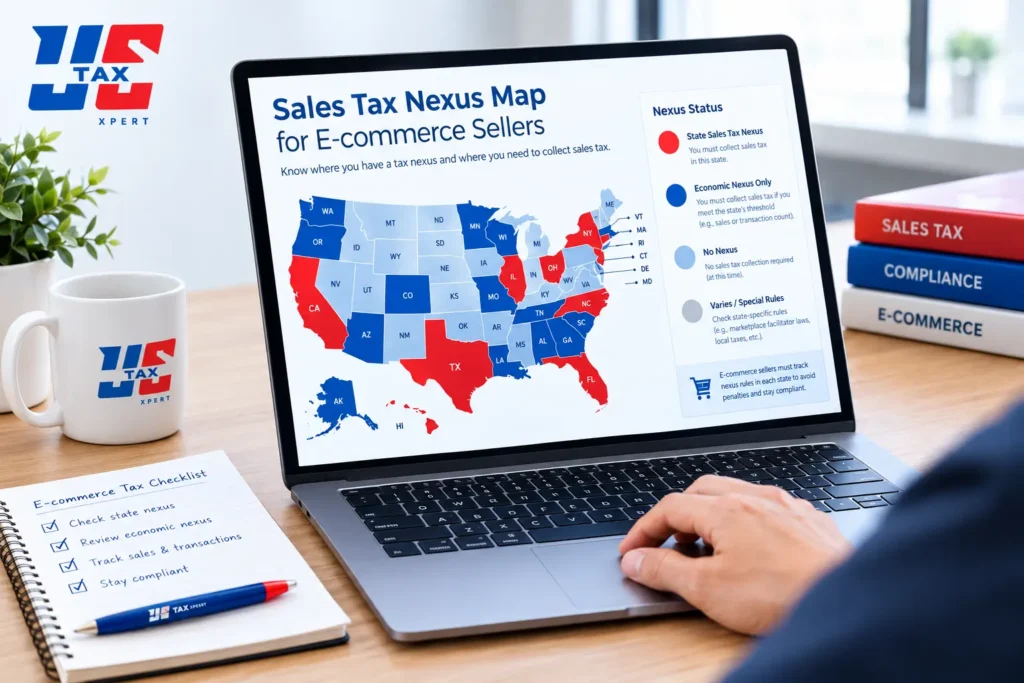
Sales Tax Nexus Across Multiple States
“Nexus” is the legal term for having enough of a business connection to a state that you’re required to collect and remit sales tax there. For e-commerce sellers, nexus isn’t just about where your business is located — it can also be triggered by:
- Storing inventory in a state (common with Amazon FBA, since Amazon distributes your inventory across its own warehouse network)
- Exceeding a certain dollar amount or number of transactions in a state within a year
- Having employees or contractors working in a state
This means many Amazon sellers unknowingly have sales tax obligations in states they’ve never physically visited.
Tracking Inventory and Cost of Goods Sold (COGS)
Your cost of goods sold — what you actually paid to acquire or produce the products you sell — directly affects your real profit margin. Without accurate inventory tracking, it’s easy to overestimate how profitable your store actually is, especially once you factor in:
- Manufacturing or wholesale costs
- Shipping to fulfillment centers
- Storage fees
- Returns and damaged inventory
Reconciling Marketplace Fees and Payouts
When Amazon or Shopify pays you, the deposit you see in your bank account is already net of fees — referral fees, fulfillment fees, advertising spend, and refunds have all been deducted before the money reaches you. If your bookkeeping only records the deposit amount, you lose visibility into what you actually earned in sales versus what you paid in fees.
Step-by-Step: Setting Up Bookkeeping for Your Online Store
Step 1: Choose the Right Accounting Software
Look for accounting software that integrates directly with your sales channels rather than requiring manual data entry for every transaction. This dramatically reduces errors and saves hours every month.
Step 2: Separate Business and Personal Finances
This should happen on day one. A dedicated business bank account and credit card make your bookkeeping cleaner, your tax filing simpler, and your business look more credible if you ever need financing or investment.
Step 3: Automate Sales Channel Integrations
Connect your e-commerce platforms directly to your accounting software so that sales, fees, refunds, and payouts flow in automatically instead of being tracked in spreadsheets.
Step 4: Set a Consistent Reconciliation Schedule
Reconcile your books monthly at minimum. Waiting until tax season to sort out a year’s worth of transactions is one of the most common — and most expensive — mistakes online sellers make.
Sales Tax Compliance for Online Sellers: A Quick Reference
| Requirement | What It Means for You |
|---|---|
| Economic nexus | Register to collect sales tax once you exceed a state’s sales/transaction threshold |
| Physical nexus (FBA inventory) | Amazon FBA storage can create nexus even without a physical office in that state |
| Marketplace facilitator laws | In many states, Amazon and similar marketplaces now collect and remit sales tax on your behalf — but you should still confirm this applies to every state you sell in |
| Filing frequency | Varies by state — monthly, quarterly, or annually based on your sales volume |
Common Bookkeeping Mistakes E-Commerce Sellers Make
- Recording only the net deposit from a marketplace instead of gross sales, fees, and refunds separately
- Ignoring sales tax nexus until a state sends a notice
- Mixing personal and business expenses in the same account
- Not tracking inventory costs accurately, which distorts real profit margins
- Waiting until tax season to reconcile an entire year of transactions at once
When to Hire a Professional E-Commerce Bookkeeper
DIY bookkeeping can work in the very early stages of a store, but most sellers reach a point where the complexity outgrows what they can manage alone — especially once sales cross multiple states or platforms. A professional bookkeeping service that understands e-commerce specifically can help you stay accurate, stay compliant, and free up time to focus on growing your store instead of untangling spreadsheets.
If you’re also weighing bigger financial decisions — like whether to restructure your business or bring on outside investment — it’s worth pairing bookkeeping support with broader business consulting to make sure your numbers actually support your next move.
Frequently Asked Questions
Do I need a separate bookkeeper if I already use accounting software? Software helps you track transactions, but it won’t catch sales tax nexus issues, misclassified expenses, or inventory accounting errors on its own. A professional bookkeeper reviews and interprets the numbers software simply records.
How often should I reconcile my e-commerce books? Monthly, at minimum. Sellers with high transaction volume across multiple channels often benefit from weekly reconciliation to catch errors early.
Does Amazon collect sales tax for me automatically? In many states, yes, under marketplace facilitator laws — but this doesn’t apply universally, and you’re still responsible for confirming your obligations in every state where you have nexus.
What’s the difference between gross sales and net deposits? Gross sales are your total revenue before any fees are deducted. Net deposits are what actually lands in your bank account after marketplace fees, refunds, and advertising costs are subtracted. Your books should track both separately.
Can bad bookkeeping trigger an IRS audit? Inconsistent or inaccurate records don’t directly trigger an audit, but they make it much harder to defend your numbers if you are audited. Learn more about what to expect if that happens on our IRS audit representation page.
Do I need an EIN to sell on Amazon or Shopify? Most sellers operating as an LLC or corporation need an EIN for business banking and tax filing. If you haven’t registered yet, see our guide on how to get an EIN number.
Ready to Get Your E-Commerce Books in Order?
Whether you’re just launching your first Shopify store or scaling a multi-channel Amazon business, accurate bookkeeping is the foundation everything else is built on. Schedule a consultation with our team to see how we can help simplify your books.